

CRM and pipeline
Know every client, deal and next step without a spreadsheet
SparkDesk keeps accounts, contacts, leads and opportunities in one place, and links each deal to the quote, contract, project and invoices that follow. Nobody has to ask where a client stands.
Included on every plan, including Free.
Opportunities
Deals in your sales pipeline.
$11,700$18,200
Website care plan
JBJuniper Bakery
Spring campaign
AOAtlas Outdoor Co.
Menu and signage
JBJuniper Bakery
$12,000
Annual report design
LHLumen Health
$33,800$24,000
Brand refresh and website
HPHarbor & Pine Coffee
Packaging system
FGFieldnote Goods
$18,400$28,200
Packaging system
FGFieldnote Goods
Product launch site
NBNorthline Bikes
Opportunity created
- On the opportunity board, New Opportunity opens the create panel.
- The opportunity "Website care plan" for Juniper Bakery is filled in with a close date and an amount of $6,500, and saved.
- It appears in the Prospect column and the column total updates.
- The "Packaging system" deal is dragged from Proposal to Won, and the close is confirmed.
The problem
Sound familiar?
- Our pipeline lives in a spreadsheet that nobody updates after Friday.
- When a deal closes, someone retypes the client details into three other tools.
- I can't tell which leads are worth chasing and which have gone cold.
How it works
From first call to signed client
1
Capture the lead
Add leads by hand, import a CSV or Excel file with the import wizard, or let a form create them. Duplicate detection flags people you already have.
2
Work the deal
Move opportunities through your stages with an amount, probability, expected close date and forecast category on each one.
3
Quote from the record
Create the quote from your Products and Services catalog so pricing stays consistent from one proposal to the next.
4
Hand off to delivery
Convert the lead and link the project. The account page shows contacts, deals, projects, cases and invoices together.
In the app
The real screen
Captured from a demo workspace, not a mock-up.
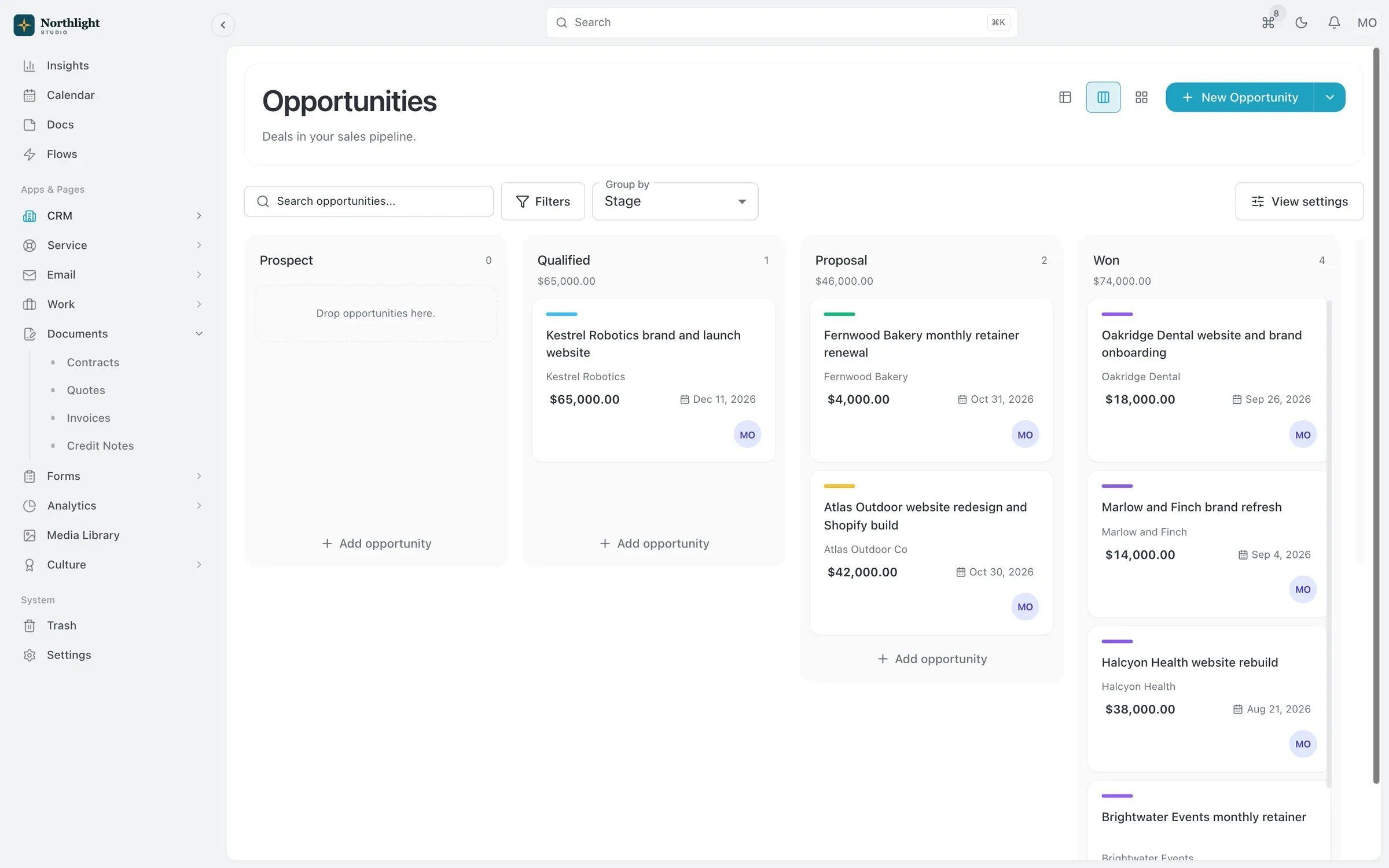
- Deals grouped by stage
- Weighted total per stage
- Amount and close date
What you get
- Accounts and contacts
- Parent and child accounts, reporting lines between contacts, email opt-out and do-not-call flags, comments, files and a full activity timeline.
- A pipeline you can trust
- Stages, probability, forecast categories and win or loss tracking on every opportunity, with saved views for each owner.
- Products and services catalog
- Keep what you sell with unit prices, tax rates and price lists in more than one currency, then pick items straight onto quotes and invoices.
- AI lead scoring and enrichment
- Orbit, the in-app assistant, scores leads and fills in company details using platform AI requests or your own AI provider key.
- Custom fields and views
- Add fields from 26 field types and save views with the filters, sorting and grouping your team actually uses.
- Import and export
- Bring records in from spreadsheets with the import wizard, and take your whole workspace out with a full export whenever you want.
Read the documentation
Works with
Quotes and invoicing
Quotes that become deposit, progress and final invoices, invoicing from hours, online payments and automatic reminders.
Learn moreContracts and e-signature
Contract templates, a clause library and version history, with e-signature and an audit certificate built in.
Learn moreForms
Drag-and-drop forms with conditional logic, scoring and file uploads that create records when submitted.
Learn more
Used by: agencies, consultancies
Compare: vs Bonsai, vs Productive, vs Pipedrive, vs Attio
CRM: questions
Something else? Ask us.
Can I import my contacts and deals from another CRM?
Yes. Export from your current tool, then use the import wizard to bring in CSV or Excel files and map each column to a SparkDesk field. Duplicate detection helps you avoid creating the same person twice.
Does SparkDesk sync with my calendar or offer booking links?
No. Calendar sync and booking or scheduling links are not available. You can set follow-up dates and reminders on records, and My work shows what is due today.
How many contacts can I keep?
Free holds 100 contacts, Solo 1,000, Team 10,000 and Business 50,000. Records over a limit are never deleted: existing ones stay readable, and new ones are blocked until you upgrade.
Can my AI assistant update the CRM?
Yes. Connect SparkDesk to Claude, ChatGPT or another MCP client and it can search, create and update records under your own role and permissions.
Run your next client project in SparkDesk.
Start a 14-day free trial of any paid plan. No card needed, and you can drop to the Free plan at any time.