
Projects and time
See where every project stands and bill every hour worked
Plan work on task boards, log time from a timer or a timesheet, and watch budget and hours used on each project. Approved time goes straight onto the client's invoice.
Projects, tasks and time tracking are included on every plan; timesheet approval and commissions start on Team.
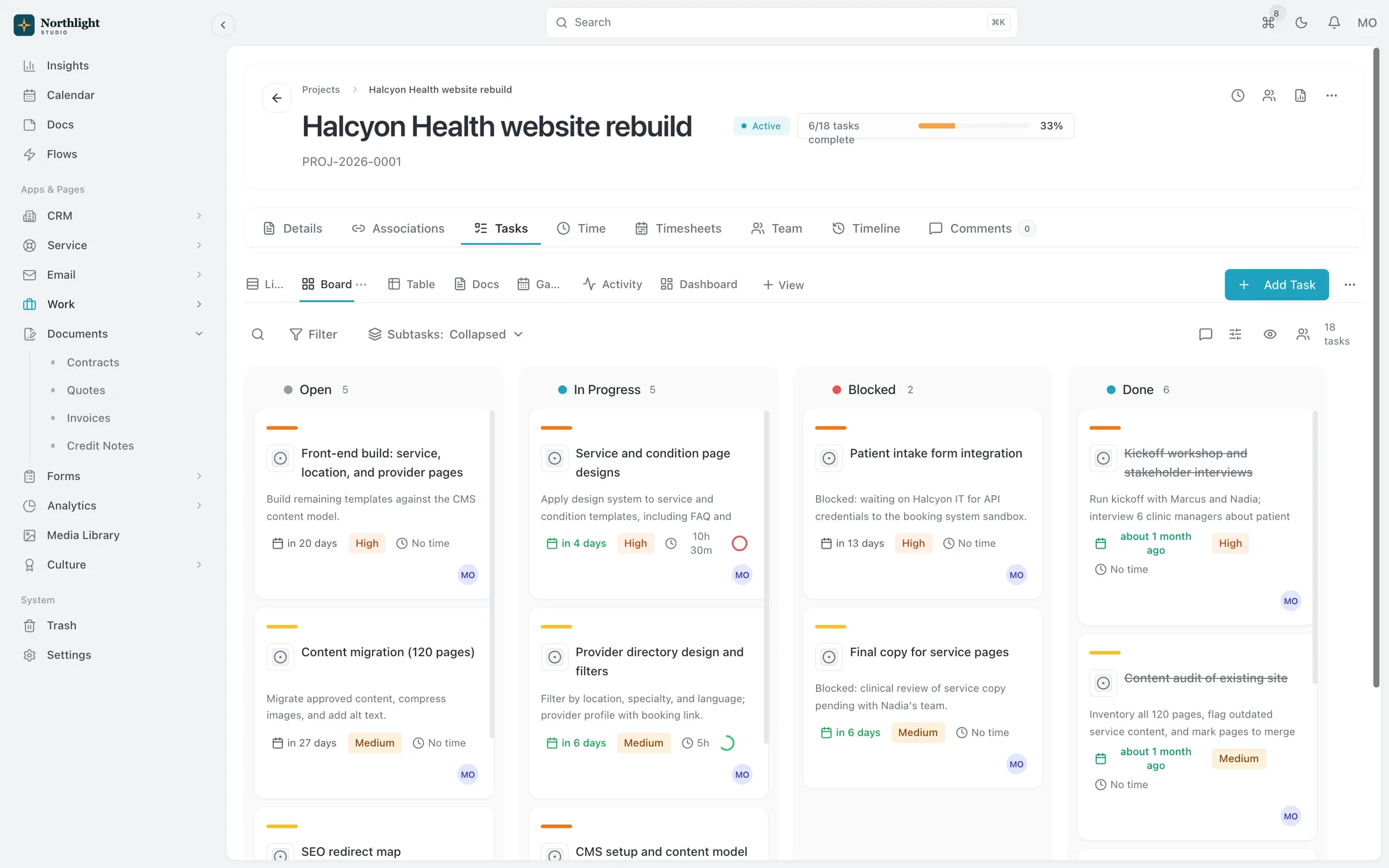
- Task board
- Budget used
- Hours logged by person
The problem
Sound familiar?
- "Where are we on this?" comes up in every single stand-up.
- Hours get logged in one app and invoiced from another, and some never make it across.
- We find out a fixed-fee project went over budget after it's already done.
How it works
Plan, track, bill
1
Set up the project
Link it to the account and opportunity, apply a task list template, and set the budget, billing rates or hours purchased.
2
Work the board
Tasks live in lists with board and table views, statuses you define, assignees and due dates.
3
Track time
Start a timer, add time manually, or enter a start and end time. Time rolls up from tasks to the project.
4
Approve and invoice
The team submits weekly timesheets for approval, then you bill unbilled hours on an invoice or let a Flow do it each period.
What you get
- Budgets and hours used
- Track progress as a percentage and hours used against hours purchased, with top-ups for hour-based retainers.
- Task list templates
- Apply your standard set of tasks to a new project in one click, and reuse status sets across the workspace.
- Timesheets with approval
- Weekly timesheets show billable hours per project and go to the Approvals hub for sign-off on Team and above.
- Project timeline
- See activity from the project and its tasks in one place, filtered by changes, tasks, time, comments or Flows.
- Commissions
- Set commission plans with split percentages per team member on a project, and see the impact on each invoice.
- Time from anywhere
- Log time from the task page, the timer, the API or your AI assistant. Each entry appears once on the task timeline.
Works with
Quotes and invoicing
Quotes that become deposit, progress and final invoices, plus invoicing from hours and credit notes.
Learn moreFlows automation
When, If, Then automations that can open timesheets and create invoices for each client period.
Learn moreClient portal
A portal where clients sign in with an email link to see invoices, documents, projects and requests.
Learn more
Used by: agencies, consultancies, creative studios, event planners
Compare: vs HoneyBook, vs Dubsado, vs HubSpot, vs Pipedrive
Projects and time tracking: questions
Something else? Ask us.
Can I plan team capacity or schedule resources?
No. SparkDesk does not have resource or capacity scheduling. You can see hours logged and budget used on each project, and assignees and due dates on tasks.
Can I track time against a block of purchased hours?
Yes. Projects support hour-based funding with top-ups and show hours used against hours purchased.
How does time get onto an invoice?
Add a project's unbilled hours to an invoice, generate a draft invoice from unbilled time, or clip the client timesheet and invoice Flow to the project so it happens every period.
Is there a mobile app for tracking time?
No, there is no mobile app. SparkDesk runs in the browser, including on phones, so you can start and stop a timer from anywhere.
Run your next client project in SparkDesk.
Start a 14-day free trial of any paid plan. No card needed, and you can drop to the Free plan at any time.