
For event planners
Every event, from enquiry to final payment, on one record.
Event planners, wedding planners and production companies use SparkDesk to quote events, collect signatures, plan run-of-show tasks, track vendor costs and invoice in stages.
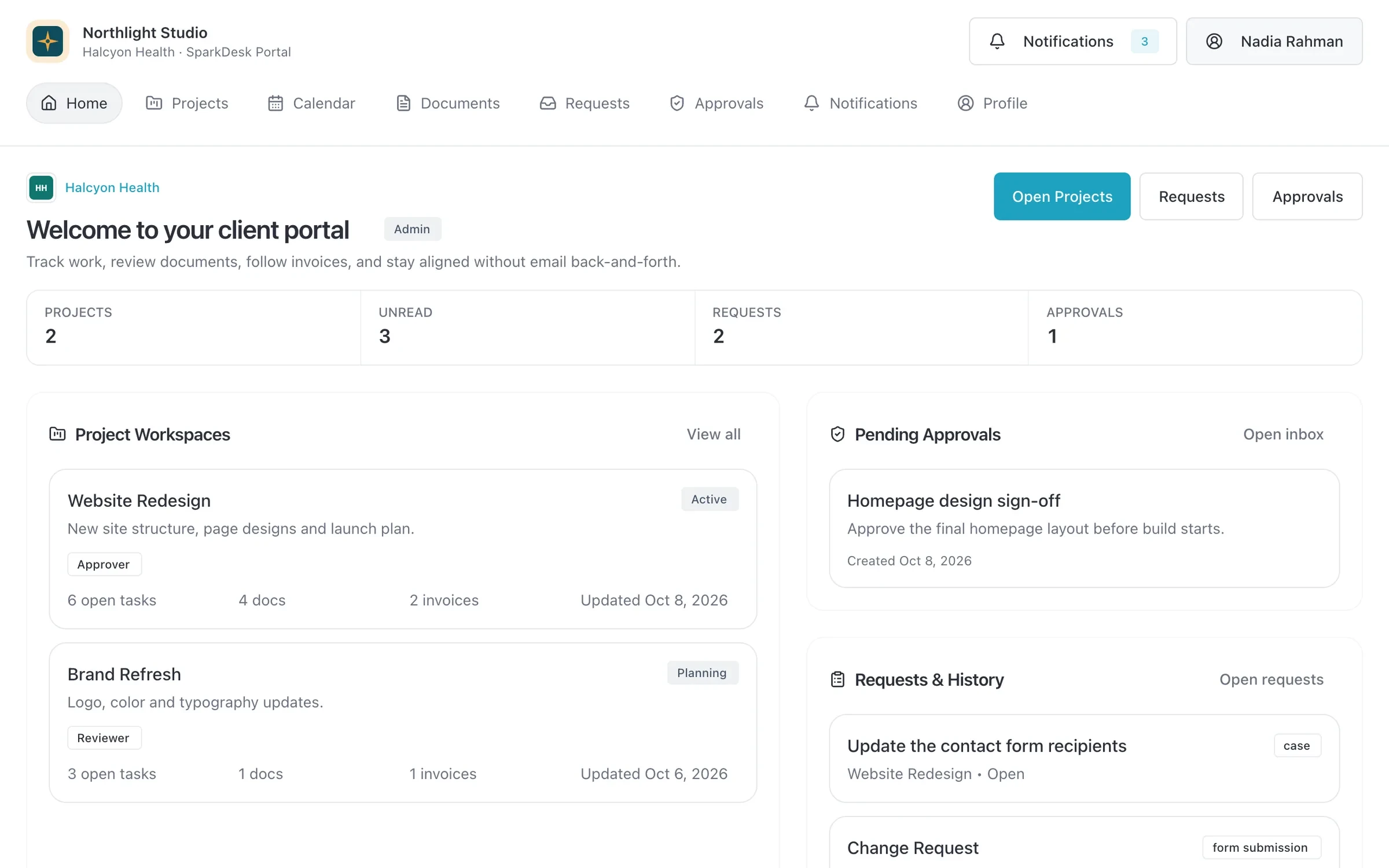
- Project workspaces
- Pending approvals
- Client requests
Sound familiar?
What gets fixed
- Staged payments tracked in a spreadsheet
- Deposit, progress and final invoices come straight from the accepted quote, and each payment is recorded against its invoice.
- Enquiry forms that go nowhere
- Forms with conditional questions and file upload create a lead or opportunity the moment they are submitted.
- Vendor costs you cannot see per event
- Log expenses with receipts against the event project and keep an eye on budget as you commit to vendors.
- A hundred tasks in the final week
- Event templates hold your standard checklist, so the timeline, owners and due dates are ready for every new booking.
How a job runs in SparkDesk
01 / Enquire
An enquiry form creates the lead with the date, guest count and budget, and scores it so the best fits get a reply first.
02 / Book
Quote the event from your packages, send the contract for e-signature, and invoice the deposit.
03 / Plan
Build the event project from a template, assign tasks, share docs with the client and track vendor expenses.
04 / Close out
Send the final invoice, record the payment, and keep the event in reports for next season's planning.
The features event planners use most
Forms
Drag-and-drop forms with conditional logic, scoring and file uploads that create records when submitted.
Learn moreQuotes and invoicing
Quotes that become deposit, progress and final invoices, plus invoicing from hours and credit notes.
Learn moreContracts and e-signature
Contract templates, a clause library and version history, with e-signature and an audit certificate built in.
Learn moreProjects and time tracking
Projects, task boards, timers and timesheets, with budgets and hours that carry into invoices.
Learn moreExpenses
Receipts, mileage, per diem, budgets and approvals, linked to the projects the spending belongs to.
Learn moreClient portal
A portal where clients sign in with an email link to see invoices, documents, projects and requests.
Learn more
Where to start
The Team plan
Team covers 3 planners with approvals and a 100-user client portal. Add Business when you need expenses with budgets and People and HR.
For event planners: questions
Something else? Ask us.
Can we track vendor costs per event?
Expenses with receipts, budgets and approvals are included on Business. On other plans you can track costs with custom fields or line items on the project.
Can couples or clients see their event plan?
Yes. Share documents and project status in the client portal, where clients can also send requests and approve items.
Is there a mobile app for event day?
There is no native mobile app. SparkDesk runs in the browser on phones and tablets.
Also see SparkDesk for agencies, consultancies and creative studios.
Run your next client project in SparkDesk.
Start a 14-day free trial of any paid plan. No card needed, and you can drop to the Free plan at any time.