
Service desk
Every client request gets an owner and a deadline
Emails to your support address become cases with a priority, an owner and an SLA due date. Your team replies from the case, and the whole thread sits on the client's account.
Available on Team and above.
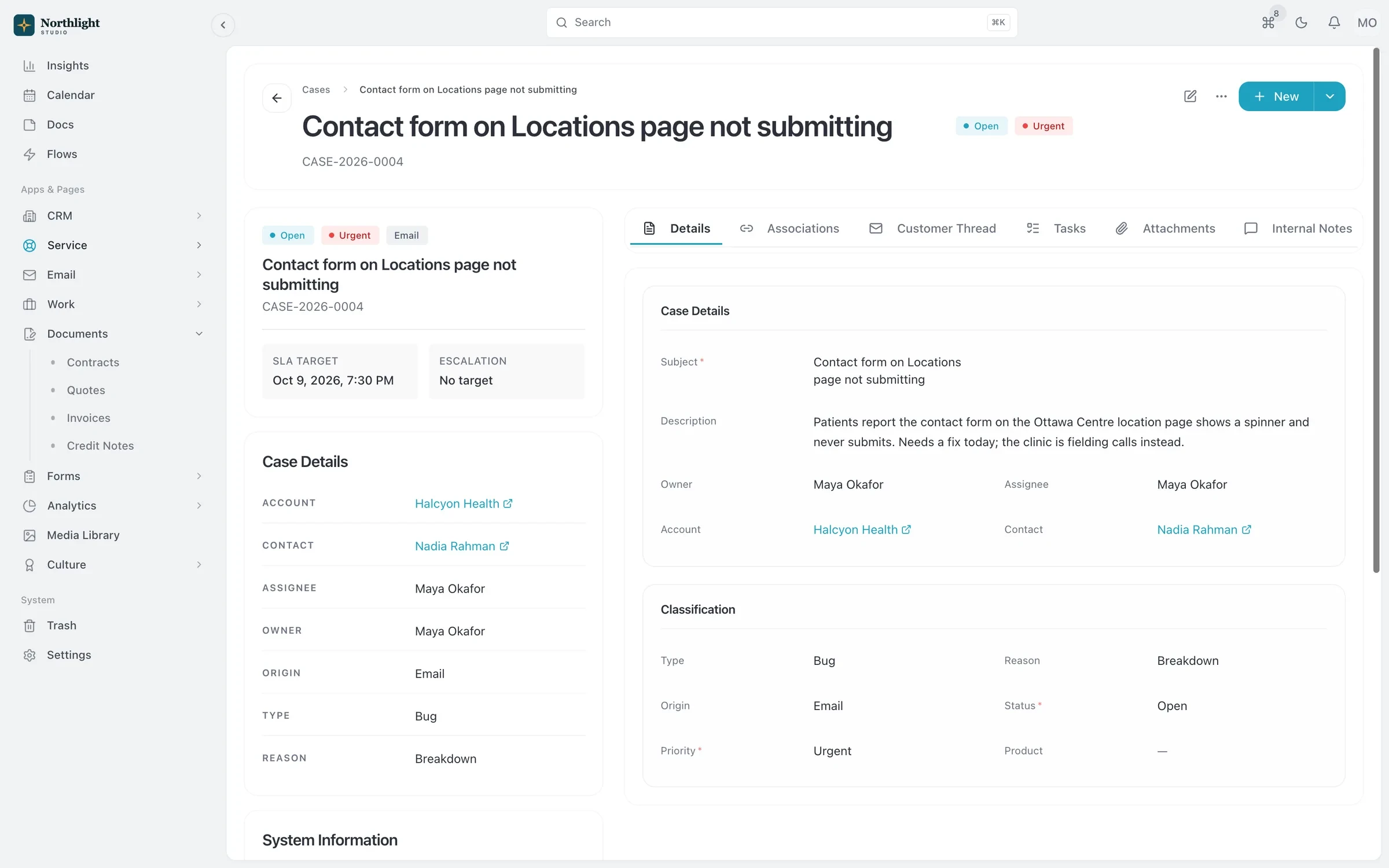
- SLA timer
- Client email thread
- Linked account
The problem
Sound familiar?
- Support requests land in one person's inbox and sit there while they're on holiday.
- We promise a response time but can't tell when we've missed it.
- We answer the same how-to question every week.
How it works
From email to resolved
1
Email becomes a case
Messages sent to your case address create a case or add to an existing one. Out-of-office replies and delivery notices are recognized and skipped.
2
Triage it
Set a priority from Low to Urgent, assign an owner, and track the SLA due date.
3
Reply on the thread
Inbound and outbound email stays on the case, and clients can reply from the client portal.
4
Resolve and document
Move cases from New to Closed, and turn common answers into knowledge base articles.
What you get
- Every channel recorded
- Cases come in from email, the client portal, web forms or the app, and each one records where it started.
- Inbound activity log
- Settings lists recent support emails and what happened to each: case created, reply added, or skipped with a reason.
- Knowledge base with preview
- Write articles once, preview them as clients will see them, and point clients to the answer.
- Linked to the account
- Cases show on the client's account next to projects and invoices, so account managers see the full picture.
- Assignee and owner
- Separate who is working the case from who is accountable for it, and add custom fields for your own categories.
- Automate with Flows
- Notify the owner, escalate urgent cases or create a follow-up task when a case changes.
Works with
Client portal
A portal where clients sign in with an email link to see invoices, documents, projects and requests.
Learn moreEmail inbox and broadcasts
A Gmail or IMAP inbox tied to client records, plus segmented broadcasts with tracking.
Learn moreFlows automation
When, If, Then automations that can open timesheets and create invoices for each client period.
Learn more
Used by: agencies
Service desk: questions
Something else? Ask us.
Can I keep my existing support email address?
Yes. Forward your support address to your SparkDesk case address. Routing uses the address the email was delivered to, not only the To and Cc lines.
Can clients open cases themselves?
Yes. Clients can raise requests from the client portal or a web form, as well as by email.
Is the service desk on Solo?
No. The service desk starts on Team, which includes 3 users and room for 2,500 cases.
Run your next client project in SparkDesk.
Start a 14-day free trial of any paid plan. No card needed, and you can drop to the Free plan at any time.