
Expenses and budgets
Know what each project really cost, not just what you billed
Log expenses with receipts, mileage or per diem, tie them to a project or vendor, and send them for approval as a report. Budgets warn you before spending runs over.
Available on Business and above.
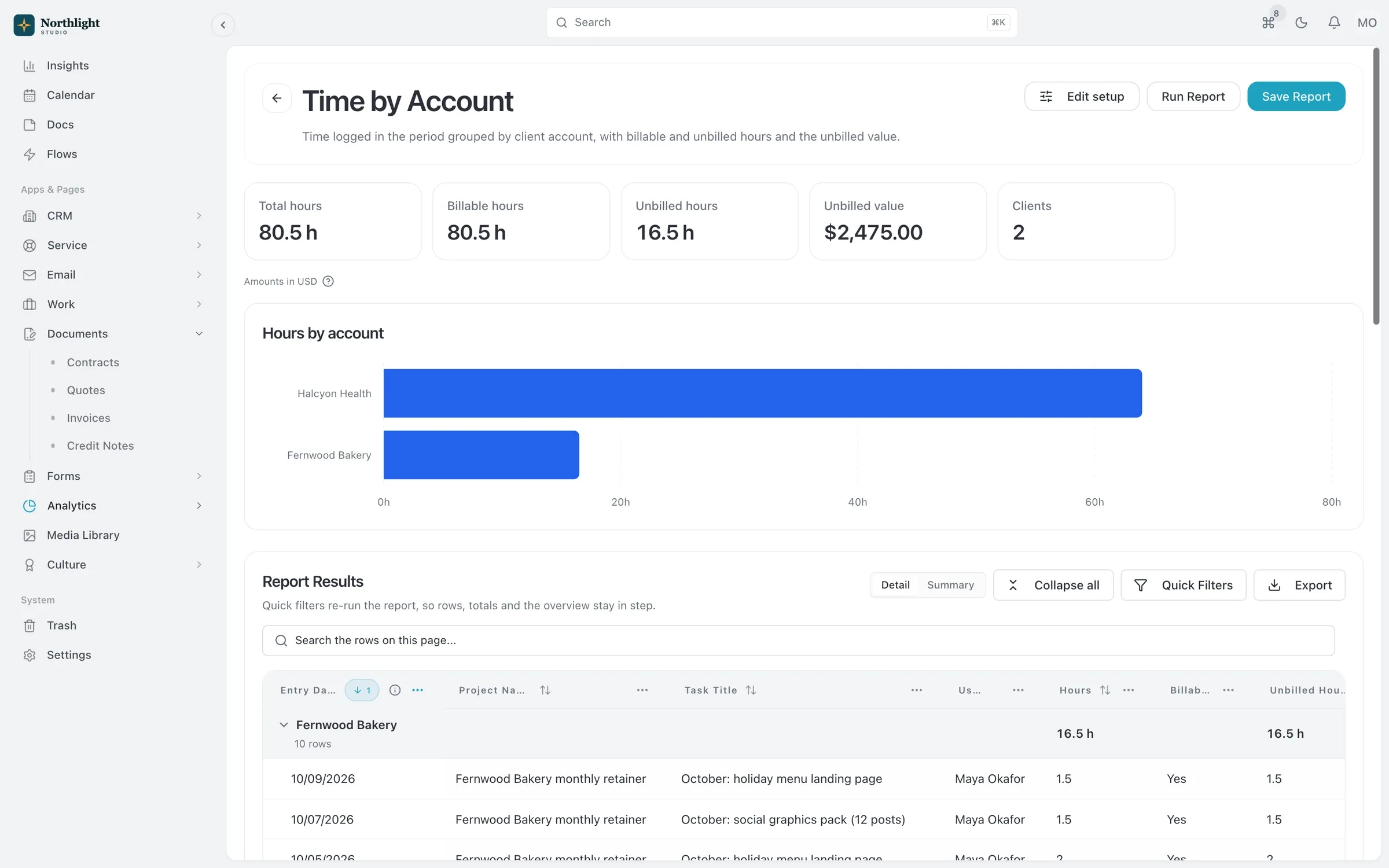
- Group subtotals
- Grand total
- Headline numbers
The problem
Sound familiar?
- Receipts arrive as phone photos in a group chat.
- Reimbursements wait for weeks because nobody knows who approves what.
- Our project margins ignore the travel and freelancer costs we paid for.
How it works
From receipt to reimbursed
1
Log the expense
Choose standard, mileage or per diem, attach receipts, and set the category, cost center, project, vendor and tax lines.
2
Group into a report
Collect expenses into a report and submit it in one go.
3
Approve it
Reports move through multi-level approval from Draft to Submitted, Approved and Paid, or come back as Rejected.
4
Watch the budget
Set budgets by category, cost center, project or vendor, with alerts as spending approaches the limit.
What you get
- Policy checks
- Policy violation detection flags expenses that break your rules before they are approved.
- Multiple receipts and tax codes
- Attach several receipts to one expense and split tax across multiple tax codes.
- Recurring expenses
- Schedule repeating costs such as software subscriptions so they are logged automatically.
- Multi-currency
- Record spending in the currency you paid in, with conversion to your organization's currency.
- Vendors
- Keep suppliers, contractors and service providers with their payment terms and linked expenses.
- GL export file
- Export expense reports as a general ledger file for your bookkeeper.
Read the documentation
Works with
Reports and dashboards
Template reports with subtotals, headline numbers and charts, plus dashboards for your weekly numbers.
Learn moreProjects and time tracking
Projects, task boards, timers and timesheets, with budgets and hours that carry into invoices.
Learn morePeople and HR
Directory, org chart, time off, onboarding kits, training and employee documents for your team.
Learn more
Used by: event planners
Expenses: questions
Something else? Ask us.
Does SparkDesk connect to my bank or company card?
No. SparkDesk does not have bank feeds. You add expenses with their receipts, and you can schedule recurring ones.
Does it sync with QuickBooks or Xero?
No, there is no QuickBooks or Xero integration. Expense reports can be exported as a general ledger file for your bookkeeper.
Is Expenses available on Team?
No. Expenses is part of Business and above.
Run your next client project in SparkDesk.
Start a 14-day free trial of any paid plan. No card needed, and you can drop to the Free plan at any time.