
Custom objects
Track the things that make your business different
Event planners track venues, agencies track retainers, studios track equipment. Custom objects give each one its own records and fields, and they work with Flows, the REST API and your AI assistant.
Business includes 5 custom objects, and Solo, Team and Business can add more with the custom objects add-on.
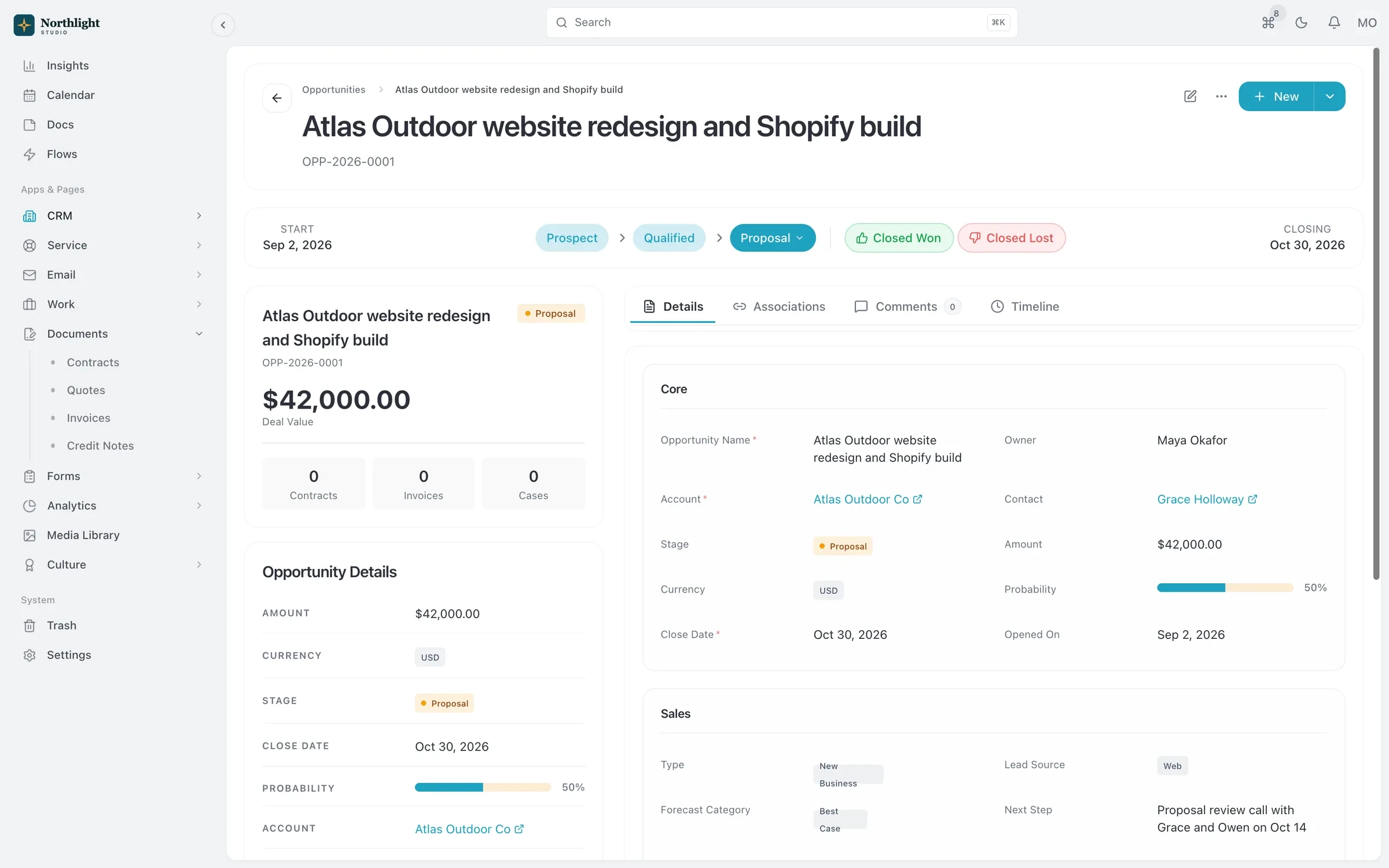
- Record page
- Linked records
- Activity timeline
The problem
Sound familiar?
- We track venues in a spreadsheet because the CRM has nowhere to put them.
- Our retainers don't fit the deal or project fields we're given.
- Every workaround ends with a field called 'Notes 2'.
How it works
From idea to working object
1
Define the object
Name it and add fields from 26 field types, from text and currency to lookups and formulas.
2
Add records
Create records by hand, through the API or with your AI assistant, and discuss them in comments.
3
Link it
Lookup fields connect your object to accounts, projects or any other record.
4
Automate it
Use custom objects in Flows, and read or write them over the REST API and MCP server.
What you get
- 26 field types
- Including lookup, calculated formula, currency, percent, rating, file, image and tag fields.
- Custom fields everywhere
- Add custom fields to standard records such as accounts, projects and invoices, not only to custom objects.
- Picklists you control
- Set the values for dropdowns so everyone picks from the same list.
- Required fields enforced
- Fields marked required in settings are enforced in the app and over the API.
- Ready for AI assistants
- MCP tools create objects, add records, search them and add comments, all under the user's permissions.
Read the documentation
Works with
CRM
Accounts, contacts, leads and a deal pipeline that carry straight into quotes, projects and invoices.
Learn moreFlows automation
When, If, Then automations that can open timesheets and create invoices for each client period.
Learn moreAPI and MCP
A first-party MCP server and REST API, free on every plan, that act with your own role and permissions.
Learn more
Compare: vs Attio
Custom objects: questions
Something else? Ask us.
How many custom objects can I have?
Business includes 5. On Solo, Team and Business you can add packs of 5 with the custom objects add-on.
Can I add custom fields without custom objects?
Yes. Custom fields are on every plan: 10 on Free, 50 on Solo, 200 on Team and 1,000 on Business.
Do custom objects work with the API and AI assistants?
Yes. Custom objects have their own records, Flows, REST API and MCP access.
Run your next client project in SparkDesk.
Start a 14-day free trial of any paid plan. No card needed, and you can drop to the Free plan at any time.